

What Is a Claims Management System? A Complete Guide
by Ganesh Aradhya
September 25, 2026 | 06 min read
Share:
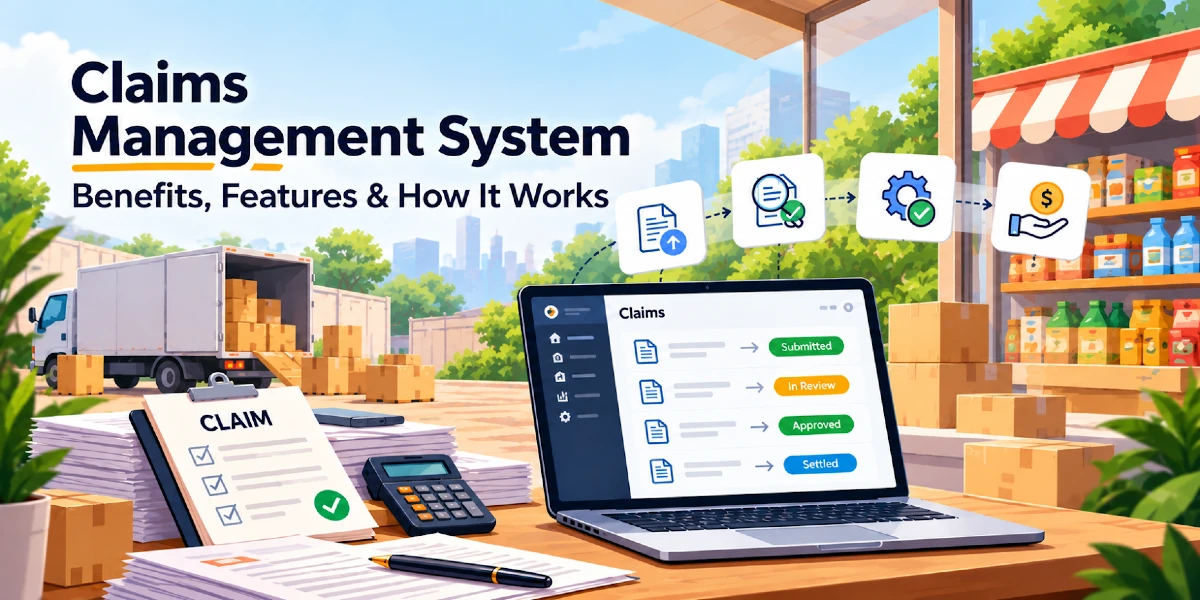
Businesses manage a wide range of financial claims every day. Employees submit expense claims, sales representatives report field expenses, distributors raise reimbursement requests, and organisations process claims related to business activities. When these claims are handled through spreadsheets, emails, paper forms, or disconnected systems, businesses often face delays, errors, duplicate submissions, and limited visibility.
What Is a Claims Management System?
A Claims Management System is used to manage and process claims arising from business activities, such as scheme and discount-related claims and expense reimbursement claims. It enables users to submit claims according to defined company policies and supports the organisation in generating, tracking, and managing these claims through the relevant workflow.
How Does a Claims Management System Work?
Step 1: Claim Submission
The user enters the expense details and submits the claim with required supporting documents.
Step 2: Initial Validation
The system checks whether required information and documents have been provided. Rules related to expense categories, limits, or eligibility can also be applied.
Step 3: Manager Review
The claim is routed to the appropriate manager or designated approver.
Step 4: Approval or Rejection
The approver reviews the claim and either approves it, rejects it, or sends it back for correction.
Step 5: Finance Processing
Approved claims move to the finance team for settlement according to the organisation’s process.
Step 6: Settlement and Record Keeping
Once the claim is processed, the settlement status is recorded. The complete claim history remains available for future reference and reporting.
User Claims Management vs. Claims Management
Understanding the distinction between user claims management and broader claims management helps businesses choose the right processes, approval workflows, and controls for managing different types of claims efficiently.
| Factor | User Claims Management | Claims Management |
|---|---|---|
|
Primary focus |
Claims submitted by users or employees
|
Wider range of organisational claims
|
|
Typical users |
Sales representatives, employees, field teams
|
Employees, distributors, customers, partners, finance teams
|
|
Common examples |
Travel, fuel, food and field expenses
|
Reimbursements, distributor claims, rebates, returns and other claims
|
|
Main objective |
Manage user-submitted expenses
|
Manage the broader claim lifecycle
|
|
Approval
|
Usually manager or finance approval
|
Depends on claim type and organisational workflow
|
|
Scope
|
More focused
|
Broader |
Why Your Business Needs a Claims Management System?
In FMCG and distribution, claims often involve trade schemes, distributor incentives, damaged goods, and settlement adjustments. As transaction volumes grow, manual processing leads to missing documents, calculation errors, delayed approvals, and claim leakage. Some industry sources report manual distributor claims taking 45 to 90 days to settle. A claims management system streamlines validation, approval, reconciliation, and settlement, helping reduce claim ageing and improve financial control.
1. Reduce Manual Claim Processing
Manual claims often involve spreadsheets, emails, physical receipts, and approval messages. A digital system brings these activities into one workflow. Users submit claims through a defined process, while managers review and process them from the same platform. This reduces repetitive administrative work for sales, operations, and finance teams.
2. Create a Standardised Approval Process
Different teams may follow different claim approval procedures when relying on manual processes. A claims management system helps businesses establish standardised workflows based on factors such as claim type, amount, department, location, employee role, reporting manager, and company policy.
3. Improve Expense Visibility
Finance teams need visibility into how business expenses are being generated. A digital claims system provides a central record of submitted, approved, rejected, and pending claims. Businesses can use this information to understand expense patterns and identify areas requiring closer review.
4. Reduce Errors and Duplicate Claims
Manual claim processing often leads to incorrect amounts, duplicate entries, missing documents, or incorrect expense categories. A digital claims management system uses structured fields and validation rules to check claim details, expense limits, required documents, eligibility, approval thresholds, and duplicate submissions before a claim reaches the approval stage
5. Speed Up Reimbursements
A lengthy approval process often delays employee reimbursements. With a digital workflow, users can submit claims immediately after an expense occurs. Managers receive claims for review, while finance teams have access to approved claims without waiting for spreadsheets or physical paperwork.
6. Improve Policy Compliance
Every organisation has rules governing business expenses. These rules might define eligible expenses, spending limits, required documents, or approval requirements. A claims management system helps incorporate these rules into the claims process. For example, a company might establish a maximum reimbursement limit for a particular expense category. Claims exceeding the limit can be flagged for additional review.
How Bizom Solves Common Claims Management Challenges
Bizom’s Claims Management solution helps organizations manage and track claims through structured workflows based on their business policies. It supports User Claims for capturing employee and field-user expenses, such as reimbursement claims, and Organisation Claims for managing distributor and DMS-related claims associated with schemes and discounts.
The solution also includes Claim Invoice capabilities and supports integration of claim-related data with ERP, HRMS and BI systems. This enables organizations to streamline claim processing and reimbursement while providing claim information for downstream business processes, reporting and analytics.
Join Our Newsletter
FAQs
01. What types of businesses benefit from a claims management system?
Businesses with field teams, travelling employees, multiple locations, large workforces, or high volumes of reimbursements often benefit from a structured claims process. The system is useful across industries such as FMCG, retail, logistics, manufacturing, consulting, healthcare, and professional services.
02. Is a claims management system useful for small businesses?
Yes. Small businesses also face issues such as scattered receipts, delayed approvals, and limited expense visibility. A digital system provides a standard process from an early stage and supports business growth without relying heavily on spreadsheets and email.
03. How does a claims management system help finance teams?
Finance teams get a centralised view of claims, supporting documents, approval status, and settlement information. This reduces the need to collect information from different employees or departments and gives finance teams a more organised record of business expenses.
04. What happens when a claim is rejected?
The treatment depends on the organisation's workflow. A rejected claim might be closed or returned to the employee for correction and resubmission. Businesses should define the appropriate process based on their expense policy and approval structure.
05. How does claims software support audit and compliance requirements?
A digital system keeps claim information, supporting documents, approval decisions, and status changes together. Such records provide finance and audit teams with a clearer history of how individual claims were processed.
06. Can claims management software integrate with other business systems?
Many claims and expense platforms support integration with systems such as payroll, accounting, ERP, or other financial applications. Integration requirements vary by software and business setup, so organisations should evaluate available integrations before selecting a solution.