
What is Sales Force Automation Tool
by Ganesh Aradhya
August 19, 2026 | 07 min read
Share:
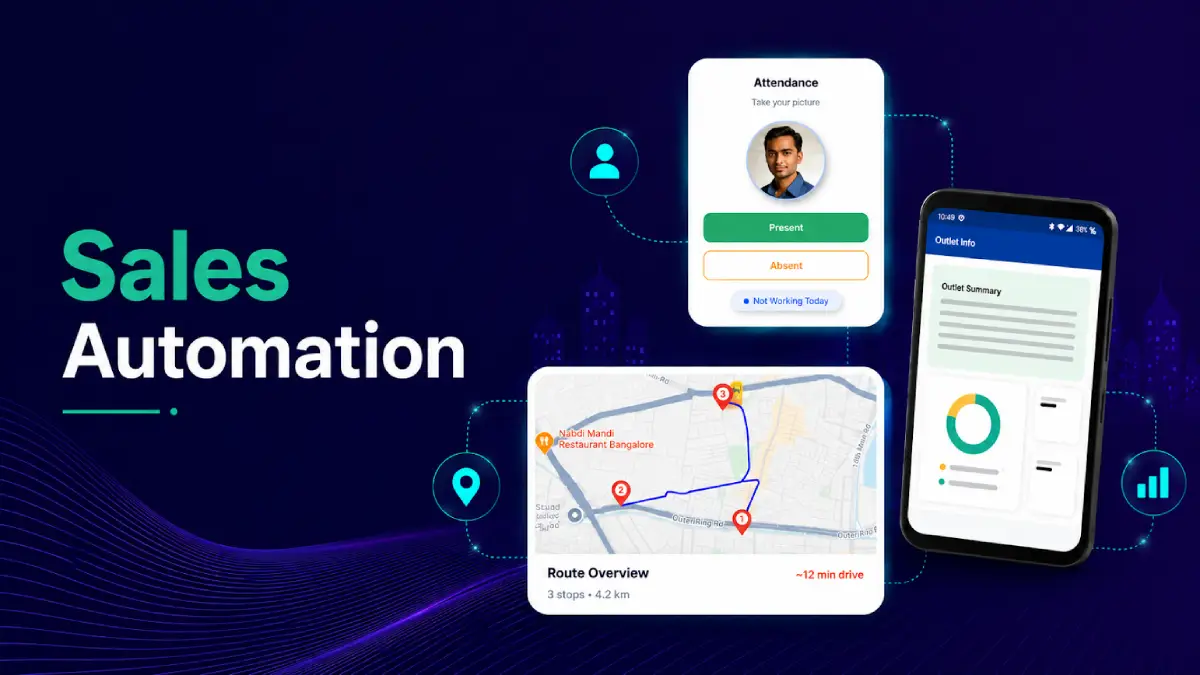
Explore what sales automation is, how sales automation software works, its key benefits, essential tools and features, and why businesses need automated sales solutions to improve productivity and streamline sales operations.
What is Sales Force Automation Tool ?
Sales automation refers to the use of technology to automate repetitive tasks across the sales process. These tasks include lead management, customer data entry, follow-ups, order processing, reporting, sales tracking, and workflow management.
Rather than relying on spreadsheets, manual records, phone calls, or disconnected systems, sales teams use sales automation software to standardise processes and capture sales information in a structured manner.
Key Benefits of Sales Automation
1. Improve Sales Team Productivity
Sales representatives often spend a significant portion of their working hours on administrative activities such as updating records, preparing reports, and managing sales information. Sales automation reduces repetitive manual work and gives representatives more time to engage with prospects, customers, retailers, and distributors.
2. Reduce Manual Errors
Manual data entry across spreadsheets, order books, and multiple systems increases the possibility of duplicate records, incorrect information, and reporting inconsistencies. Automated data capture and workflows create a more consistent process for recording and managing sales information.
3. Gain Real-Time Sales Visibility
Sales automation brings sales activity into a central system. Managers gain visibility into activities such as orders, customer interactions, field visits, targets, and sales performance. For businesses with large field teams and distribution networks, this visibility helps managers identify gaps in market coverage and sales execution faster.
4. Improve Order Management
Digital order capture simplifies the process of recording and transmitting customer or retailer orders. Sales representatives can access product information, capture orders, and share relevant sales data through a connected sales platform. This reduces dependence on manual order books and improves the flow of information between sales teams and back-office operations.
5. Strengthen Sales Forecasting
Sales automation tools collect structured sales data across different stages of the sales process. Businesses can use this information to monitor trends, evaluate sales performance, and improve forecasting. Sales software also supports metrics such as targets achieved, sales performance, and predicted deal outcomes.
6. Improve Customer and Retailer Engagement
When customer information, previous transactions, order history, and sales activity are available in one system, representatives have better context for their interactions. For CPG and FMCG businesses, this also supports stronger retailer engagement through more organised visits, order capture, product information, and follow-up processes.
7. Enable Better Decision-Making
Sales automation creates a consistent flow of sales data across the organisation. Managers can use dashboards and reports to evaluate performance, identify underperforming territories, track sales activities, and make informed operational decisions.
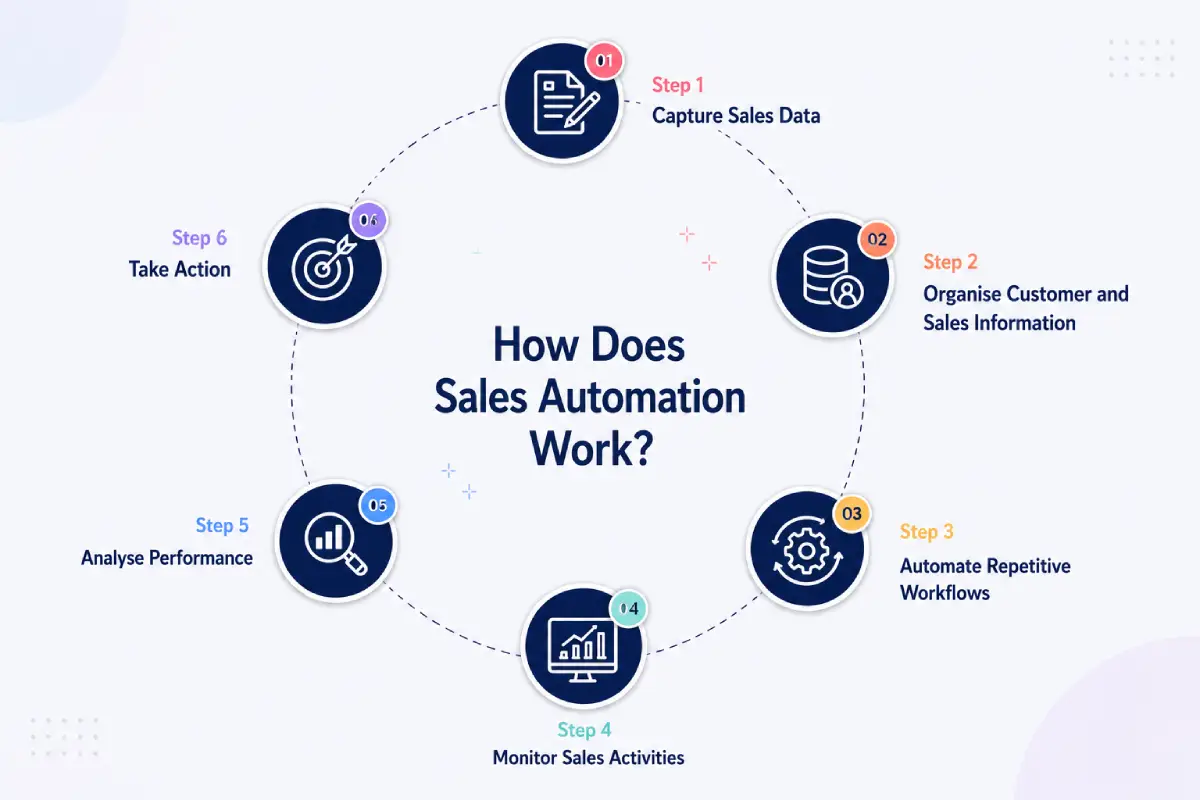
How Does Sales Automation Work?
Sales automation works by connecting sales activities, business rules, data, and workflows within a digital platform.
A typical sales automation process follows these steps:
Step 1: Capture Sales Data
The system captures information from sales activities such as leads, customer interactions, field visits, orders, transactions, and follow-ups. For field sales, representatives can record activities through mobile applications while working in the market.
Step 2: Organise Customer and Sales Information
The captured information is stored within a central system. Sales teams and managers receive access to relevant customer, outlet, distributor, product, and transaction information. This creates a single source of sales information instead of relying on scattered spreadsheets and manual records.
Step 3: Automate Repetitive Workflows
Businesses define rules for repetitive activities. For example, a new lead can trigger a follow-up task, an order can initiate the next stage of processing, or a completed sales activity can automatically update the relevant record. Workflow automation helps standardise sales processes and reduce manual intervention.
Step 4: Monitor Sales Activities
Managers receive visibility into sales activities through dashboards and reports. Depending on the solution, teams can track metrics such as sales targets, orders, customer activity, field visits, conversion, and representative performance.
Step 5: Analyse Performance
Sales data is converted into reports and insights. Managers use these insights to identify trends, evaluate territories, improve sales planning, and allocate resources more effectively.
Step 6: Take Action
The final stage is action. Sales managers use the information generated by the system to improve territory coverage, prioritise opportunities, support representatives, address execution gaps, and improve sales strategies.
Why Does Your Business Need Sales Automation?
- Your Sales Team Is Spending Too Much Time on Administration: If representatives spend substantial time entering data, preparing reports, updating spreadsheets, or managing routine tasks, automation helps redirect time toward selling and customer engagement.
- Your Sales Data Is Spread Across Multiple Systems: When sales information sits across spreadsheets, messaging applications, ERP systems, and disconnected databases, obtaining a consistent view of performance becomes difficult. Sales automation brings relevant information into a connected workflow.
- Your Sales Network Is Growing: As teams, territories, customers, retailers, and distributors increase, manual processes become harder to manage consistently. Automation provides a standardised approach for managing sales activities across locations and teams.
- You Need Better Field Sales Visibility: For businesses with field sales teams, knowing where representatives are working, which outlets they visited, what orders they captured, and how territories are performing is important for effective execution.
- You Want Faster and More Accurate Reporting: Manual reporting takes time and often creates inconsistencies between different reports. Automated reporting brings sales information together and provides managers with faster access to performance data.
- You Want to Scale Without Increasing Administrative Work: Business growth brings more customers, salespeople, transactions, and data. Sales automation creates repeatable workflows for managing this growth while reducing dependence on manual processes.
Maximize Sales Productivity with Bizom’s Sales Force Automation
Bizom’s Sales Force Automation (SFA) solves many of the challenges faced by brands by moving sales execution from manual, fragmented, and reactive processes to a connected, data-driven, and increasingly intelligent operating model.
In a traditional field-sales environment, sales representatives often spend significant time managing outlet lists, planning journeys, recording visits, capturing orders, tracking attendance and preparing reports, which can create delays, errors and duplicated effort. Bizom digitises these activities through capabilities covering outlet management, PJP and beat management, order and sales execution, attendance, merchandising, collections, claims, inventory, activities and reporting, allowing field teams to focus more on productive selling rather than administrative work.
A major challenge for area sales managers is ensuring that sales representatives spend their limited market time on the right outlets and opportunities. Simply assigning a salesperson a fixed list of outlets does not necessarily result in optimal coverage.
Bizom’s Beat Optimization capability uses factors such as sales opportunity, outlet vicinity, sales targets, KROs, time spent in the market and distance travelled to create more effective journey plans. This helps distribute outlets more effectively, maximise visits, reduce unnecessary travel and make better use of salesperson capacity.
Join Our Newsletter
FAQs
01. Is sales automation suitable for small businesses?
Yes. Small businesses benefit from sales automation when repetitive administrative work starts taking time away from customer acquisition and relationship management. Businesses can begin with a few high-value workflows and expand automation as their sales operations grow.
02. When should a business consider adopting sales automation?
A business should consider sales automation when sales teams face growing workloads, inconsistent processes, limited visibility, or increasing administrative effort. Rapid expansion across territories or sales channels is another strong indicator.
03. How does sales automation affect the role of sales representatives?
Sales automation shifts representatives’ time away from repetitive administrative work toward customer interactions, relationship building, opportunity management, and other revenue-focused activities. Human judgment continues to play an important role in sales decisions.
04. Does sales automation require technical expertise?
Most modern platforms are designed for business users and offer configurable workflows, dashboards, and mobile interfaces. Technical support is still useful for integrations, advanced configurations, data migration, and organisation-wide deployment.
05. How long does it take to implement sales automation?
Implementation time varies based on the number of users, sales processes, integrations, data volume, and level of customisation. A focused implementation with a limited scope generally takes less time than a large enterprise-wide deployment.
06. What challenges should businesses expect during implementation?
Common challenges include employee adoption, data quality, process standardisation, integration with existing systems, and change management. Clear ownership, training, and phased implementation help address these challenges.